Tools needed Herramientas necesarias
- Wire Cutters
- Cortaalambres
Installation steps Pasos de instalación
1. Scan the device barcode or type it in manually.
1. Escanee el código de barras del dispositivo o ingréselo manualmente.
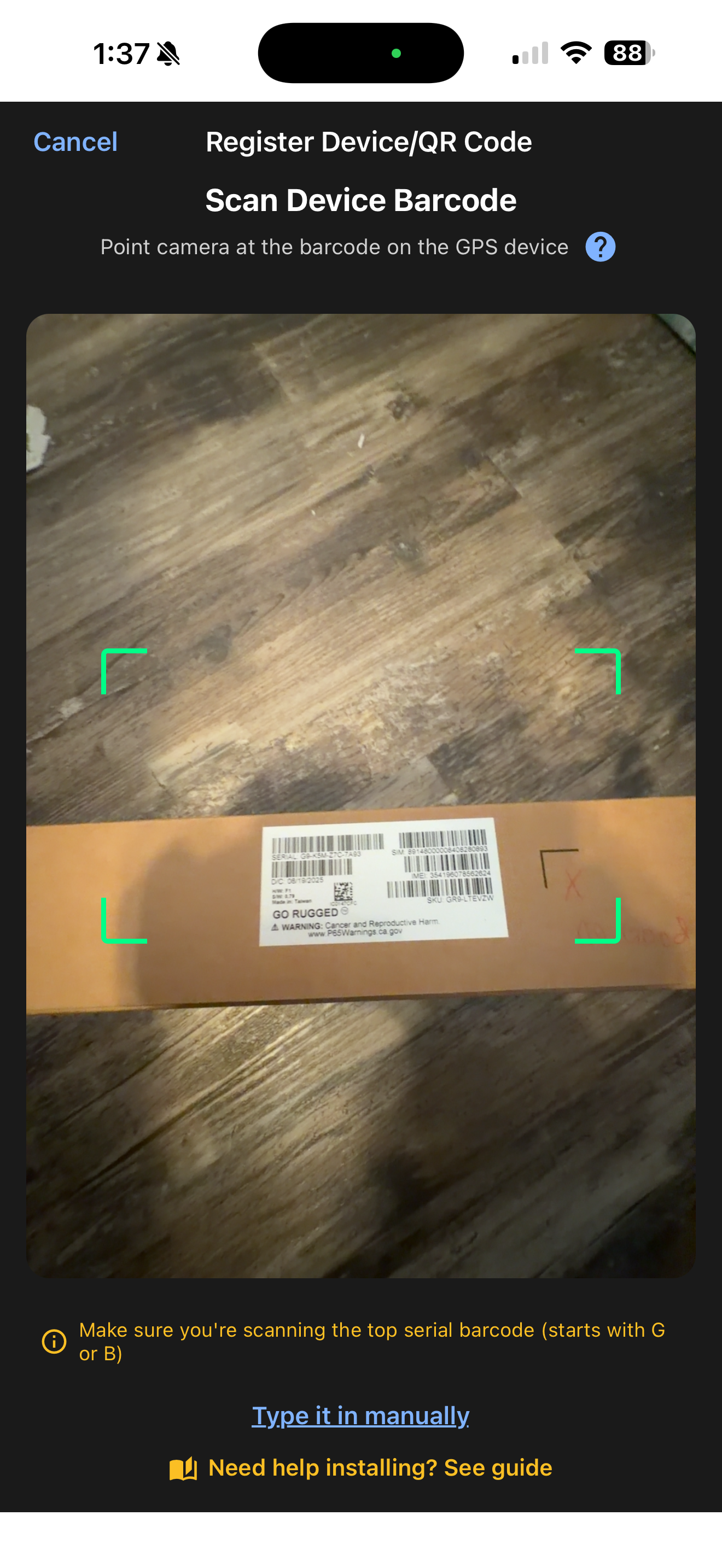
⚠ If the device is not synced to your account you will see a "Device not in your account" message — contact support to get it synced.
⚠ Si el dispositivo no está sincronizado con su cuenta verá el mensaje "Dispositivo no está en su cuenta" — comuníquese con soporte para sincronizarlo.
2. Fill in equipment details. The following are required: Equipment Name, Equipment Type, and Current Engine Hours.
2. Complete los detalles del equipo. Los siguientes son obligatorios: Nombre del equipo, Tipo de equipo y Horas actuales del motor.
3. Optional: Odometer reading, Make, Model, Year, VIN, Labels, and Notes.
3. Opcional: Lectura del odómetro, Marca, Modelo, Año, VIN, Etiquetas y Notas.
4. Press Update to save changes.
4. Presione Actualizar para guardar los cambios.
💡 At the top of the page you can also assign a QR code if you have one on hand.
💡 En la parte superior de la página también puede asignar un código QR si tiene uno a la mano.
⚠ Commonly found at lower dash, left of steering wheel.
⚠ Comúnmente se encuentra en la parte inferior del tablero, a la izquierda del volante.
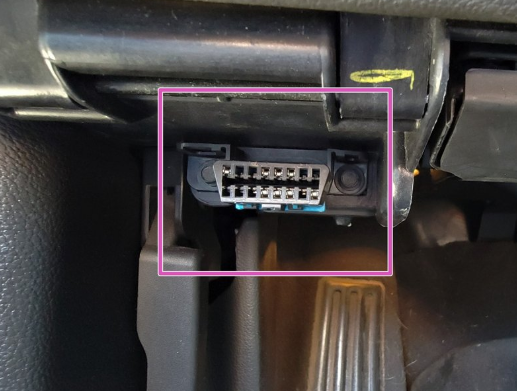
⚠ Device will only plug in one way.
⚠ El dispositivo solo se puede conectar de una manera.
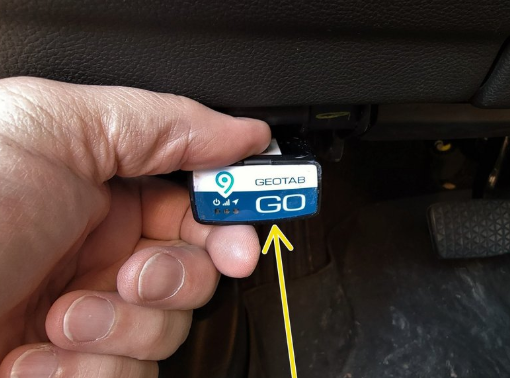
Start the vehicle and verify the LED pattern. ⚠ The device emits 2 quick beeps every 60 seconds during set-up. Once all three LEDs turn solid you will hear 10 quick beeps.
Arranque el vehículo y verifique el patrón de LED. ⚠ El dispositivo emite 2 pitidos rápidos cada 60 segundos durante la configuración. Una vez que los tres LEDs se vuelvan sólidos, escuchará 10 pitidos rápidos.
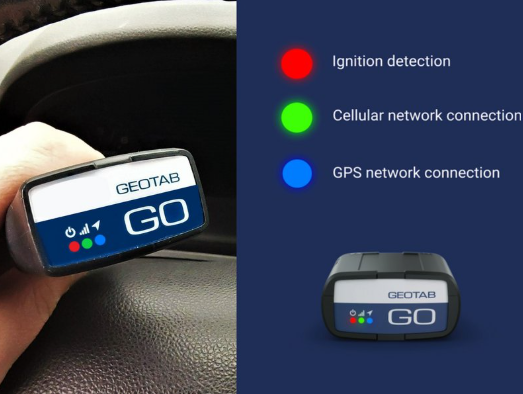
LED Quick Reference Referencia rápida de LEDs
| LEDLED | BlinkingParpadeando | SolidSólido |
|---|---|---|
| 🔴 RedRojo | Firmware updatingActualizando firmware | Firmware downloaded ✓Firmware descargado ✓ |
| 🔵 BlueAzul | GPS on, searchingGPS encendido, buscando | GPS connected ✓GPS conectado ✓ |
| 🟢 GreenVerde | Cellular searchingCelular buscando | Cellular connected ✓Celular conectado ✓ |
Common issues Problemas comunes
⚠ Device not working after install ⚠ El dispositivo no funciona después de la instalación
Disconnect the device and plug it back in again. Desconecte el dispositivo y vuelva a conectarlo.
⚠ No GPS or cell signal ⚠ Sin señal GPS o celular
Move outside the shop. Metal roofs block GPS. Drive at least 20 feet outside and wait up to 15 minutes. Salga del taller. Los techos metálicos bloquean el GPS. Conduzca al menos 6 metros afuera y espere hasta 15 minutos.
⚠ Poor cellular coverage ⚠ Cobertura celular deficiente
Make sure you have good cellular coverage in the area of installation. Asegúrese de tener buena cobertura celular en el área de instalación.